Enabled Dataverse search in the Microsoft Dataverse environment
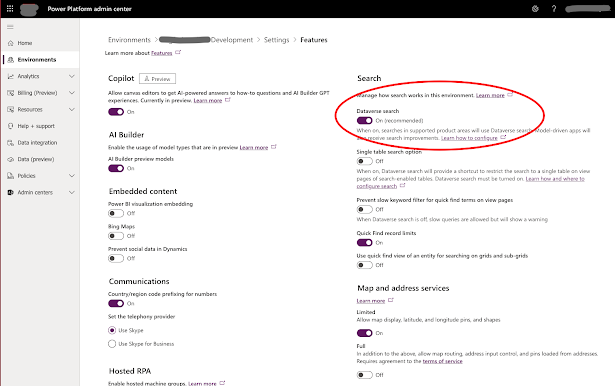
Search is a very powerfull feature when properly configured. Here is a quick step through on how to implement search in Power Pages. Enable Search in the environment Go to the Power Platform Admin Center. Open the administration settings for the Microsoft Dataverse environment and navigate to the search or options settings. Enable "Dataverse Search." This needs to be done once for each environment. Enabled Dataverse search in Power Pages Go to Portal Management for the Power Pages site and click on Site Settings. Filter the settings for search. Make sure that EnableAdditionalEntities, Enabled, and EnableDataverseSearch are set to "true." Ensure that the table to be included in the search is included in the filters. Note that tables are listed with the category first, followed by the column and table name. If multiple tables fall under the same category, they should be separated by a comma. Categories with tables are separated by a semicolon. Thi...